Connect device to access calibration, temperature offset, firmware update and reset.
📦 Firmware
--
🚀 New firmware -- available
Update to get the latest fixes and features.
What's new
🎯 Sensor Calibration
Two-point calibration reduces measurement errors and improves soil moisture accuracy.Place the probe in the matching condition, click the button, and the device will recalibrate using a new reading.
Connect device to enable calibration
🌡️ Temperature Offset
Fine-tune the reported temperature with an adjustable offset from -18 °F to +18 °F (-10 ℃ to +10 ℃). Saved on device (persists across reboots).
Use the − / + buttons for precise 0.1 steps, or type an exact value in the box.
℃
-10.0 ℃ ~ +10.0 ℃
🏷️ Device Name
A display name saved on the device and shown in this dashboard. Up to 10 ASCII characters.
It does not change the device's default Bluetooth broadcast name, So nothing needs to be re-paired in Home Assistant.
0 / 10 characters
⚠️ Reset
Clears history, calibration, temperature offset, and device name on the device, then reboots it.
This page's locally cached data for the device is also cleared. The connection will drop.
Introduction
SoilPulse monitors your soil — moisture, temperature and battery. Just plant, connect, and check on the spot.
Live soil metrics — true root-zone moisture & temperature (not surface estimates), plus battery status.
No app required — open directly in the Bluetooth-enabled browser.
Seamless Home Assistant integration, no gateway needed.
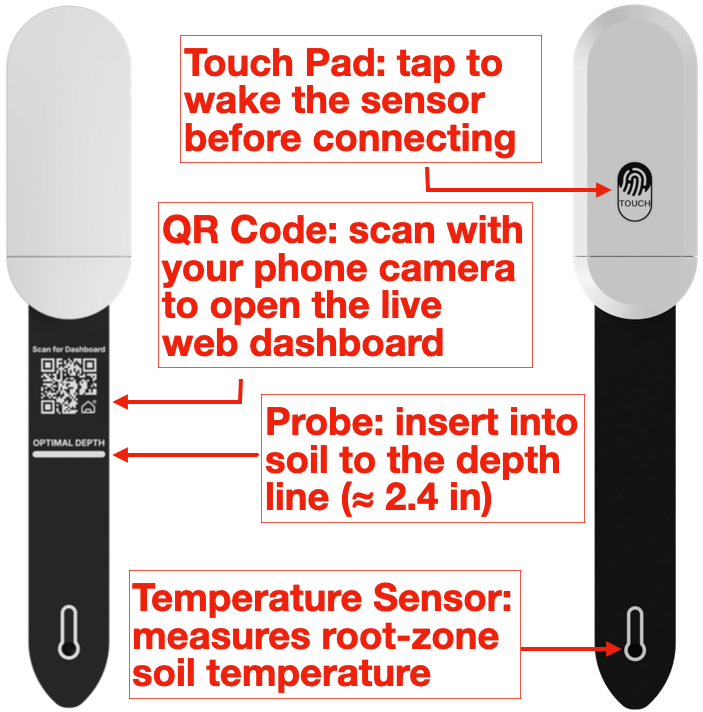
Meet Your Sensor
Setup
Insert 2× AAA batteries.
Plant the probe to the OPTIMAL DEPTH line (≈ 2.4 in).
Tap the touch pad to wake it.
Choose your setup method — follow the guides below to connect via Web Dashboard or Home Assistant.
Connect — Web Dashboard
Requires a Bluetooth-enabled phone or PC with Bluetooth turned on.
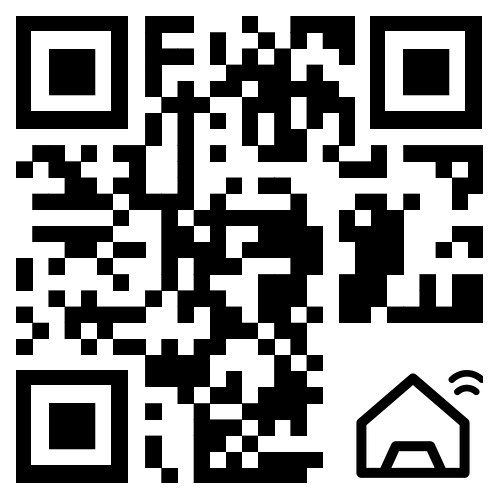
Scan to open Dashboard
• Opens in your browser instantly
• Built-in interactive setup guide
Can't find it? Tap touch pad to wake device and allow Bluetooth permissions.
• Android / PC: Use Chrome.
• iPhone / iPad: Download & use Bluefy app (iOS Safari/Chrome does not support Web Bluetooth).
Connect — Home Assistant
Uses BTHome— Requires Bluetooth enabled in Home Assistant.
Settings → Devices & Services → Add device.
Tap the sensor's touch pad to wake it.
HA adds temperature, moisture & battery.
Using the Web Dashboard
Data Tab — live temperature, moisture & battery; history with last 5 readings and 7-day average charts.
Refresh & Clear
Refresh: triggers an immediate measurement.
Clear Data: clears local & history data.
Setting Tab
Calibration & Temperature: Dry/Wet moisture calibration & temperature offset adjustments.
Questions or feedback? Please email us — we're happy to help. Thank you for your support!
FCC Statement
Complies with Part 15 of the FCC Rules. Operation is subject to two conditions: (1) it may not cause harmful interference, and (2) it must accept any interference received.
This equipment complies with the limits for a Class B digital device under Part 15. If it causes harmful interference, try one or more of the following: